 JETHR
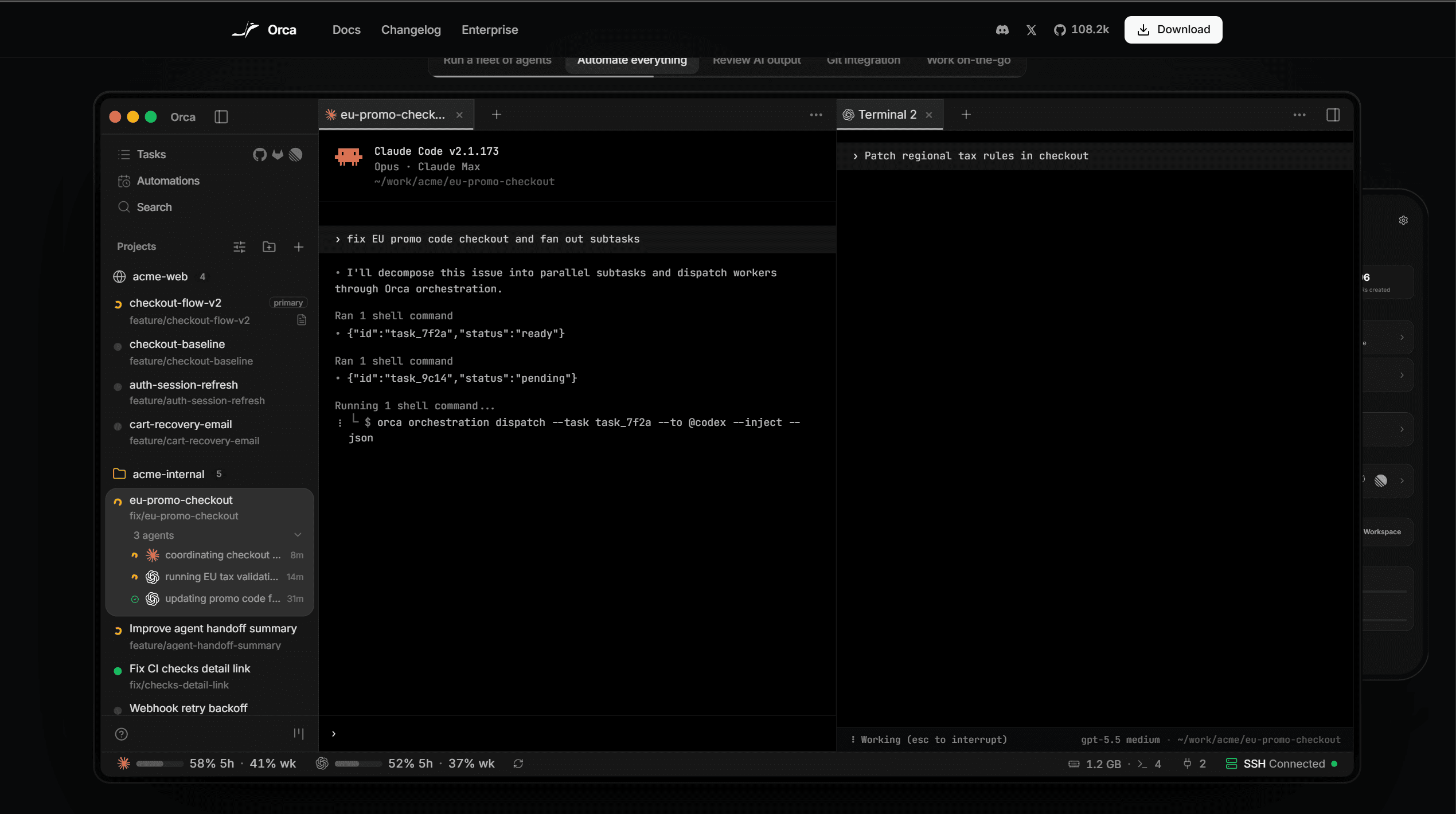
One Workspace, Multiple Coding Agents: Why I Use ORCA
I use Claude Code, Codex, and Cursor CLI in my personal development workflow. I like having different tools available, trying different approaches, and choosing an agent depending on the task.
But using multiple agents also means keeping track of more things:
- Which agent is working on which task.
- Which branch each session is editing.
- What changes are ready for review.
- Which terminal belongs to which project.
ORCA (https://www.onorca.dev/) helps me bring that work into one place. For me, its biggest appeal is making multiple coding agents easier to manage especially through Git worktrees.
I can use the agents I already like
ORCA supports Claude Code, Codex, Cursor CLI, and other CLI agents, using the subscriptions I already have.
That matters because I like having flexibility. I can:
- Choose an agent based on the task.
- Try another agent when I want a different approach.
- Keep using familiar tools within a shared environment.
I don’t need to settle on one agent for every project. ORCA gives me a consistent place to organize the work around those choices.
The tools around the agents matter too
A coding session involves more than sending prompts. I also need to run the project, inspect files, check the interface, and review changes.
ORCA brings several parts of that process together:
- Terminals for agents, commands, and development servers.
- A file editor for reading and adjusting code.
- Browser previews for checking the application.
- Diffs for reviewing what changed.
- Split panes for arranging the workspace around the task.
Having these close together helps me keep track of the project as I move between implementation and review.
Feedback can be more specific
Two features that stand out to me are inline diff comments and Design Mode:
- Inline diff comments let me attach feedback to a particular line and send it back to the agent.
- Design Mode can send a selected UI element’s HTML, CSS, and a cropped screenshot into the agent’s context.
These give feedback a clearer starting point. Instead of describing a UI problem entirely from memory, I can point to the element involved. Instead of giving a broad review instruction, I can attach it to the relevant change.
That’s particularly appealing for frontend work, where small visual details can be difficult to explain through text alone.
How I think about multiple agents
Having several agents available doesn’t mean every task needs several agents.
My approach is to keep a few things in mind:
- Give each agent a clear responsibility.
- Separate independent tasks into their own worktrees.
- Review each set of changes before integrating it.
- Test the combined result.
- Use a single session when the task is small and focused.
I still need to understand the code and make the final decisions. ORCA helps organize the process, but the quality of the result still depends on how I scope, review, and verify the work.
Why I keep using ORCA
For me, ORCA makes working with Claude Code, Codex, and Cursor CLI more manageable. Also i can give separate tasks room to progress independently while keeping their changes easier to review. Combined with terminals, browser previews, and diffs in one workspace, that makes parallel development feel more practical.
I want to spend more time thinking about what I’m building. ORCA helps by reducing the effort of keeping track of everything happening around it.